
Great products don’t happen by accident. You can have a brilliant idea, but if users find it confusing or frustrating, they’ll leave. This is a hard lesson many founders learn after sinking time and money into an app that just doesn’t stick.
This guide gives you a simple framework for using user experience design services to build products people actually want to use.
What are user experience design services?
User experience (UX) design services are not about making things "look pretty." They use deep user research – not guesswork – to align your product with what customers actually need.
Think of a UX designer as the architect for your digital product. Before a single line of code is written, they create the blueprint that dictates how everything feels and functions.
What’s the goal of UX design?
The goal is to make technology feel human. A good UX partner bridges the gap between your business goals and your users’ expectations.
This process involves:
- User research: Uncovering the real needs and pain points of your audience.
- Information architecture: Organizing content so users find what they need without thinking.
- Wireframing & prototyping: Mapping out user flows and testing the product’s skeleton before visual design starts.
- Usability testing: Watching real people use the product to find and fix every point of friction.
What’s the difference between UX and UI?
This is a common point of confusion. The difference is simple but critical.
- User experience (UX) design is the overall feeling. Is the product logical? Does it solve my problem without a headache?
- User interface (UI) design is the visual presentation. It covers the colors, fonts, and buttons.
A product can’t win with a beautiful UI but a clumsy UX. One is the strategic foundation; the other is the visual appeal. You need both. Research shows that 75% of consumers judge a company’s credibility based on its website design. You can read more about UX’s impact on business credibility.
Example: For a banking app, UX is the effortless flow of transferring money. UI is the clean layout and the color of the "send" button.
The user experience design services asset
Here is a simple table breaking down what user experience design services deliver for your startup.
| Component | What it solves | Key activities | Business outcome |
|---|---|---|---|
| User Research | "Are we building the right thing?" | Interviews, surveys, persona creation, journey mapping. | Reduced risk of product failure; higher market adoption. |
| Information Architecture | "Can users find what they need?" | Card sorting, site mapping, content structuring. | Improved navigation and lower bounce rates. |
| Wireframing & Prototyping | "How will the product actually work?" | Low-fidelity sketches, interactive mockups. | Faster, cheaper iteration before development begins. |
| Usability Testing | "Where are users getting stuck?" | Moderated and unmoderated user testing sessions. | Higher user satisfaction and increased conversion rates. |
This table shows how each part of the UX process drives real business results.
Why UX design is a growth hack, not a cost
Founders constantly battle the "nice-to-have" versus "need-to-have" list. Smart founders see UX as a revenue engine.
Good UX isn’t just about pretty screens. It’s about building a product so intuitive it sells itself. Let’s break down the financial payoff.
Slash your customer acquisition cost
A high Customer Acquisition Cost (CAC) can bleed a startup dry. You burn cash on marketing only to watch users leave because your product is confusing.
When your onboarding is seamless, users get it fast. Friction disappears. This means more organic sign-ups and better conversion rates from your paid ads.
Your product becomes your best marketing asset.
Example: A SaaS startup simplifies its sign-up flow from six steps to three based on user feedback. Their landing page conversion rate jumps by 40%. Their ad spend is now massively more profitable.
Boost your customer lifetime value
Getting a customer is only half the battle. Keeping them is where the real money is.
A great user experience builds loyalty. When your product is a joy to use, customers stay longer. They upgrade, try new features, and tell their friends. This reduces churn – the silent killer of subscription businesses.
This creates a powerful financial feedback loop:
- Less churn: An intuitive product gives users no reason to look elsewhere.
- Deeper engagement: Users who love the experience come back more often.
- More expansion revenue: Happy customers are your warmest leads for upselling.
Example: An e-commerce app redesigns its checkout to be faster and more transparent. Repeat purchases climb by 25% in six months, directly pumping up the average LTV.
Lower your operational costs
This is the one most founders miss. Strong UX is a secret weapon for cutting internal costs.
When your product is confusing, your support channels get flooded with tickets. This forces you to hire more support staff, draining cash that should be funding growth.
Investing in UX upfront is proactive problem-solving. Every dollar invested in UX can bring back $100 – a 9,900% ROI. Why? Because companies with great UX operate more efficiently.
Example: A fintech startup does a UX audit and finds that 60% of support tickets are about their confusing billing page. They redesign it. The next quarter, ticket volume plummets by 50%, freeing up a support agent to move into a proactive customer success role.
Understanding the four phases of a UX design project
Hiring a firm for user experience design services can feel like a black box. A proper UX project follows a logical, four-phase path. It systematically cuts down risk at every step.
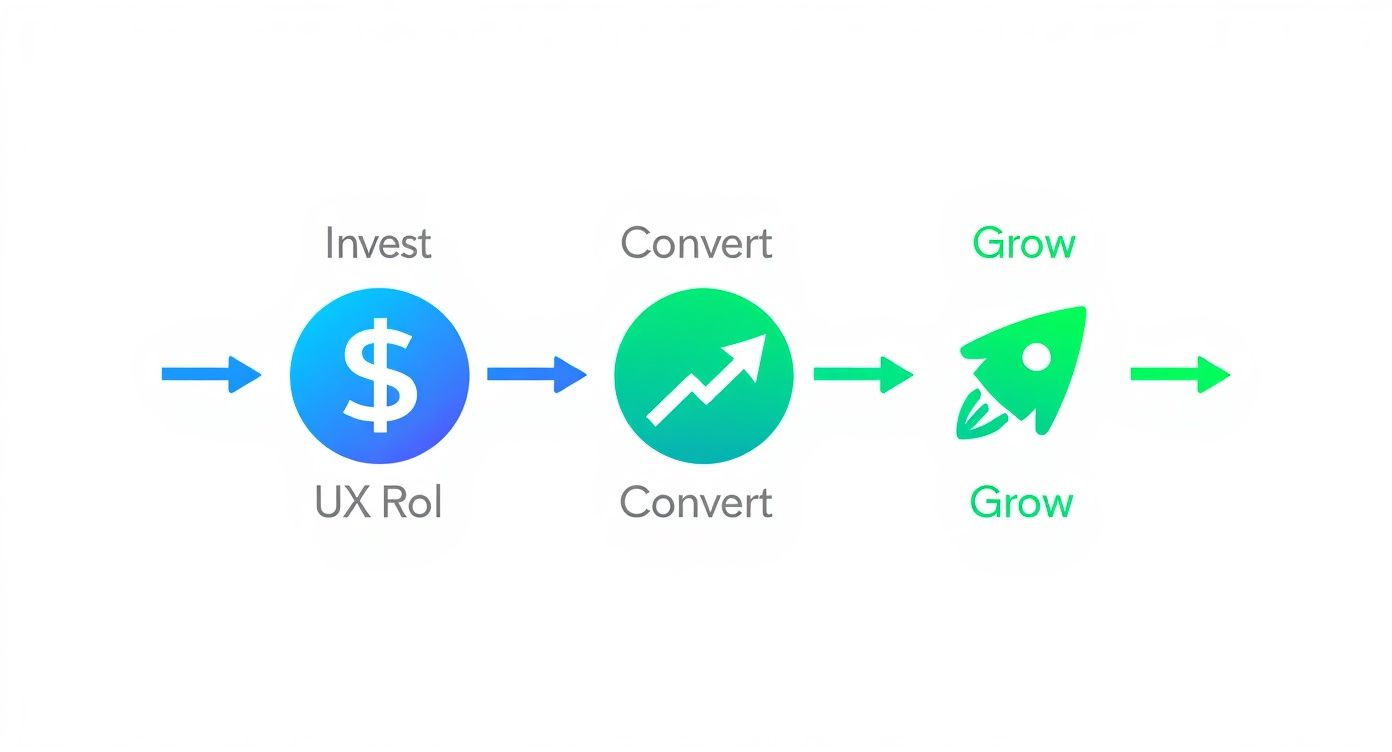
This infographic shows how smart investment in this process fuels real growth.
Phase 1: discovery and research
This is the foundation. Before anyone draws a screen, the design team has to understand your users, your market, and your business.
The goal is to swap gut-feel assumptions for hard data.
Key activities include:
- Stakeholder interviews: The UX team sits down with your leaders to align on business goals and define success.
- User research: The team runs interviews or surveys to learn about your audience’s real needs and frustrations.
- Competitive analysis: They tear down competitors' products to spot opportunities and learn from others' mistakes.
Discovery ensures every design decision is grounded in evidence. You can learn more about this in our guide on the design brief definition.
Example: A fintech startup wants to build a new budgeting app. User interviews reveal their audience is overwhelmed by financial jargon. This insight pivots the entire product strategy toward simplicity and education.
Phase 2: strategy and design
With solid research, the team starts sketching the solution. Abstract ideas get a visual form.
This phase is about building the product’s blueprint. It happens in stages:
- Information architecture (IA) and user flows: The team maps out the product’s skeleton and creates flowcharts showing how a user will move through the app.
- Wireframing: Next come low-fidelity, black-and-white layouts. These "skeletons" focus on structure and function, ignoring colors and branding.
- Prototyping: Wireframes are stitched together into interactive prototypes. They look and feel like a real product, letting the team test the user journey before developers get involved.
Example: A health tech company is designing a patient portal. The initial wireframes have a confusing navigation menu. By building a quick prototype, the team sees the friction point and redesigns the flow – saving weeks of developer rework.
Phase 3: testing and iteration
No design is perfect on the first try. This phase is about putting the prototype in front of real users and watching what happens.
The mantra is simple: test, learn, and refine.
Core activities include:
- Usability testing: The team gives people from your target audience tasks to complete with the prototype. They watch where users get stuck or confused.
- Feedback synthesis: All observations and comments are gathered to spot patterns and prioritize critical fixes.
- Design iteration: Designers head back to the prototype to refine the flows and smooth out the interface. This cycle might happen several times.
Example: An e-commerce brand tests its new checkout prototype. They find 7 out of 10 users pause when asked for their phone number. The team iterates, adding text to clarify why the number is needed. This simple change resolves the friction.
Phase 4: handoff and support
Once the design is validated, it’s time to package all assets for your engineering team. A clean handoff ensures the design vision is translated perfectly into a live product.
A solid handoff package contains:
- High-fidelity mockups: Final, pixel-perfect visual designs for every screen.
- Design system/style guide: A complete library of UI components like buttons, forms, and colors.
- Detailed specifications: Documentation that explains interactions, animations, and edge cases.
A good UX partner also sticks around during development to answer questions.
Example: A SaaS company’s design agency delivers a complete design system in a tool like Figma. Developers can grab exact code values and assets directly. This organized handoff cuts development time by an estimated 20%.
Key deliverables to expect from a UX partner
When you hire a UX partner, you’re buying strategic assets. These are the blueprints for your product. They bridge the gap between user research and final code.
A great agency delivers a clear, actionable plan your engineers can execute. Here are the essentials you should expect.
User personas and journey maps
Before you build anything, you have to know who you’re building for. These documents turn raw user research into relatable stories.
- User personas: Detailed, semi-fictional characters built from real user interviews. A persona has a name, goals, and specific frustrations.
- Customer journey maps: A visual timeline of a user’s experience with your product. It maps their actions, thoughts, and emotions at each step.
These documents ensure every design choice is tied to a real user need.
Example: A B2B SaaS company develops a persona named "Alex, the Overwhelmed Operations Manager." His journey map shows that juggling spreadsheets is his biggest headache. This pushes the team to make a unified dashboard the core feature.
Information architecture and wireframes
Next, it’s time to structure the product itself. Wireframes are the skeleton of your app. They focus purely on structure and flow.
Think of them as the floor plans for your app, showing where buttons, forms, and content will go.
These assets are cheap to make and easy to change. They let you test the product’s logic early, saving you from costly rework later. A 2021 report from Baymard Institute found that small tweaks to checkout flow usability can boost conversion rates by over 35%.
Example: An e-commerce startup’s wireframes show a four-step checkout. Early feedback reveals user confusion. The team quickly redesigns a single-page checkout wireframe, solving the issue in hours instead of weeks of coding.
High-fidelity mockups and interactive prototypes
This is where the product feels real. High-fidelity mockups are the final, pixel-perfect visual designs. They pull in your brand’s colors and typography.
An interactive prototype links these mockups together, creating a clickable simulation of the app.
This is the most critical deliverable for final sign-off. It lets you run usability tests, get stakeholder feedback, and give developers an unmistakable guide.
Example: A fitness brand gives an interactive prototype of its new app to a test group. The testing reveals a key button is too small to tap easily – a fix made in the design file before any code is written.
How to choose the right UX design provider
Play videoYour guide to user experience design services videoThis loads content from YouTube.
The market for UX design services is crowded. Picking the wrong partner burns cash and time. The right one is a massive competitive advantage.
It comes down to vetting their process, not just their polish. You need a team that shows how they solve problems.
Freelancer, boutique agency, or large firm
First, decide what kind of provider fits your needs.
- Freelancers: Often the most budget-friendly. Perfect for smaller, well-defined projects. The catch is you’re banking on one person’s availability and skills.
- Boutique agencies: These small teams (5-20 people) hit a sweet spot. You get focused attention from senior talent without the overhead of a large firm. Ideal for most startups.
- Large agencies: Deep resources and ironclad processes. They’re built for enterprise-level projects with big budgets. They can feel slow for an early-stage founder.
The demand for UX jobs has shifted. By 2024, postings dropped to 70% of 2021 levels, pushing many seasoned designers into freelancing or starting their own shops. This creates a rich talent pool for founders. You can discover more insights on the UX job market from Nielsen Norman Group.
Look for process, not just polish
A stunning portfolio is table stakes. You need to see the messy, behind-the-scenes work. A great partner will be excited to walk you through their problem-solving journey.
Look for case studies that show:
- A clear business problem.
- The research and wireframes.
- User testing feedback.
- A measurable business outcome.
A portfolio with only polished mockups is a red flag.
Key questions to ask potential partners
Use your initial calls to dig deeper. Your goal is to understand how they think and communicate.
Here are the questions that will tell you what you need to know:
- "Walk me through a project where the initial assumptions were wrong. How did your process uncover that?" This tests their commitment to research over ego.
- "How do you handle feedback and disagreements with a client?" This reveals their communication style. You want a partner who defends decisions with data but also listens.
- "What does your handoff process to developers look like?" Look for answers that mention design systems, clear documentation, and ongoing support.
- "How do you measure the success of your design work?" Their answer should be about business metrics – conversion rates, user engagement, or reduced support tickets.
Example: A potential partner answers question #1 with a story about how user testing proved their "brilliant" onboarding idea was actually confusing users. They explain how they pivoted to a simpler design that increased activation rates by 30%. That’s the answer you want.
The UX design services checklist for founders
Use this checklist to ensure your UX project stays on track and delivers real value.
| Phase | Key deliverable checklist | Founder’s role |
|---|---|---|
| 1. Discovery | ☐ Stakeholder interview notes ☐ User research findings ☐ Persona documents ☐ Competitive analysis report | Provide clear business goals, access to key team members, and any existing customer data. |
| 2. Design | ☐ Information Architecture (IA) map ☐ User flow diagrams ☐ Low-fidelity wireframes ☐ Interactive prototype | Give timely, consolidated feedback. Help clarify business logic and user journey priorities. |
| 3. Testing | ☐ Usability test plan & script ☐ Recordings of user sessions ☐ Summary report of findings ☐ Prioritized list of revisions | Help recruit relevant users for testing. Be open to feedback that challenges initial assumptions. |
| 4. Handoff | ☐ Final high-fidelity mockups ☐ Comprehensive UI style guide or design system ☐ All necessary design assets (icons, images) | Connect the design and development teams. Ensure developers have what they need. |
This four-phase process is your insurance policy. It transforms UX design from an art into a methodical science.
Ready to build a product that wins? Get started with Pitchili.
